Why Every Growing Business Needs a Custom ERP System
A custom ERP system acts as the centralized engine for a growing business, integrating disparate departments into a single source of truth. By automating routine tasks and aligning software with unique, specialized workflows, it eliminates inefficiencies and scales organically alongside your company's long-term growth and strategic goals.
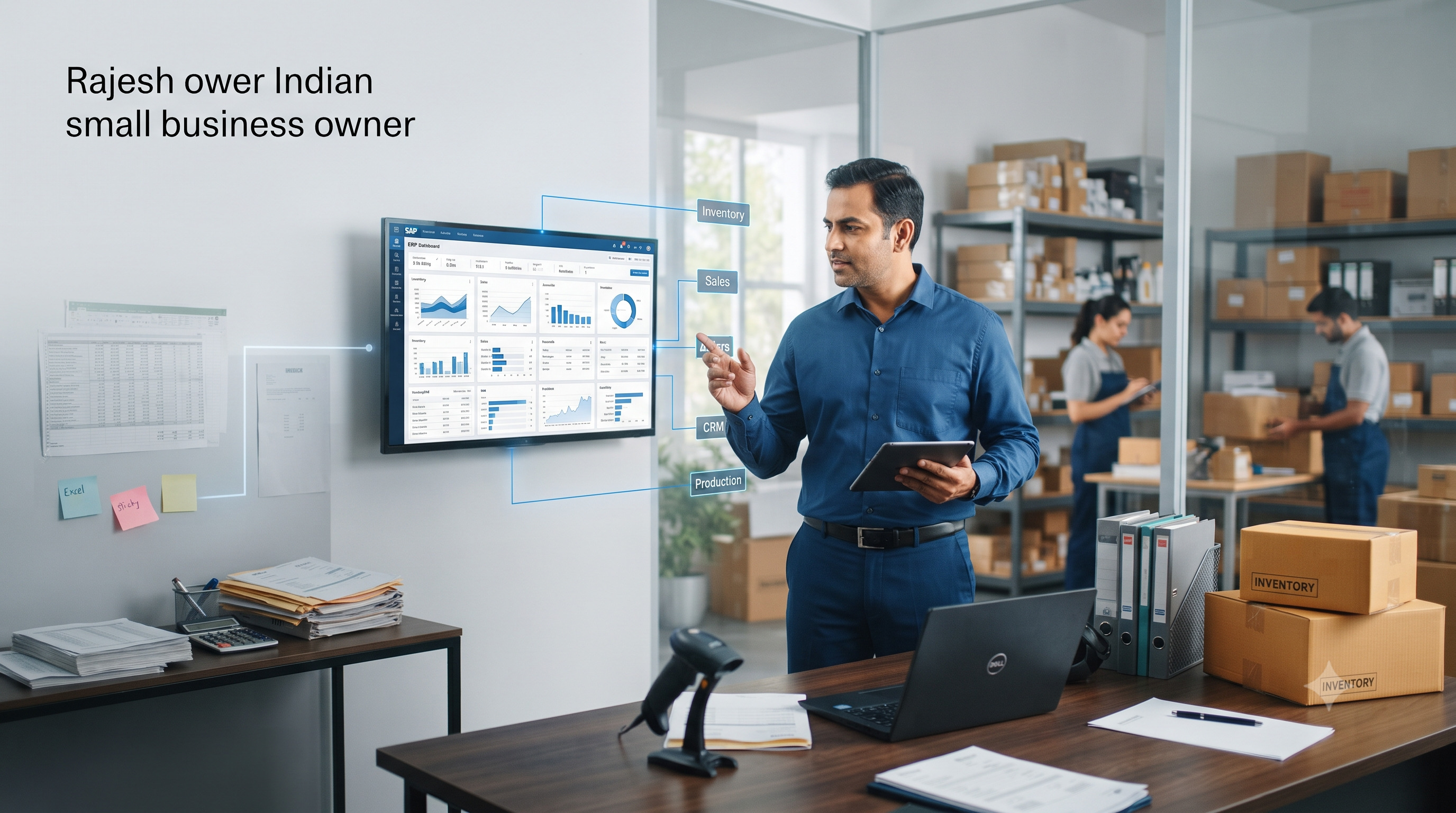
Why Every Growing Business Needs
a Custom ERP System
Every growing business hits the same invisible wall. Sales are up. Orders are up. Staff headcount is up. And somewhere in the middle of all that growth, the systems holding everything together a patchwork of Excel sheets, WhatsApp groups, and a Tally file nobody fully trusts quietly start to break down.
This is one of the most predictable inflection points for Indian SMBs, whether you're a manufacturer in Faridabad, a distributor in Indore, or a services firm in Pune. The business that got you to ₹5 crore in revenue is rarely the business that will get you to ₹25 crore not because your product or team isn't good enough, but because your operating systems weren't built for this scale.
This article walks through the warning signs, what a custom ERP actually solves, how to weigh it against off-the-shelf alternatives, and what a realistic implementation and ROI timeline looks like for an Indian SMB in 2026.
Signs You've Outgrown Spreadsheets
Spreadsheets are wonderful tools until they aren't. They work well for a small team tracking a manageable set of transactions. They start to fail quietly, and then all at once, once a business crosses certain thresholds. Watch for these signals.
• Multiple people maintain their own version of "the master sheet," and nobody is fully sure which one is current
• Month-end closing takes days of manual reconciliation between sales, inventory, and accounts
• Inventory counts on paper or Excel don't match what's actually on the shelf or in the warehouse
• Your team spends more time re-entering the same data into different tools than acting on it
• Decisions are made on "gut feel" because pulling an accurate report takes too long to be useful
• Onboarding a new employee to your systems takes weeks because nothing is documented or standardized
• You've had at least one costly mistake a missed order, a stock-out, a compliance slip traced back to a spreadsheet error
|
The Tipping Point There's no fixed revenue number or headcount at which spreadsheets "officially" stop working. The real signal is friction: when more of your team's energy goes into maintaining the tracking system than running the business it's meant to track. |
What ERP Actually Solves
An ERP (Enterprise Resource Planning) system isn't just "bigger Excel." It's a shift from disconnected records to one shared operational backbone that every department reads from and writes to.
A Single Source of Truth
Instead of sales, inventory, accounts, and production maintaining separate records that periodically get reconciled often incorrectly an ERP holds one live dataset. When a sales order is placed, inventory updates automatically. When stock is received, accounts reflect it. Nobody works from a stale copy.
Process Standardization
ERP systems enforce a consistent way of doing things how a purchase order is raised, how a return is processed, how an invoice is approved. This matters enormously as you add staff, because it removes dependency on any one person's memory or personal spreadsheet habits.
Visibility Across the Business
Owners and managers get a real-time view of what's actually happening cash position, stock levels, order status, production capacity rather than waiting for someone to compile a report at month-end.
Scalable Operations
As you add product lines, locations, or sales channels, an ERP absorbs that complexity through configuration rather than requiring you to bolt on yet another spreadsheet or standalone tool.
Custom vs. Off-the-Shelf ERP
This is the decision most Indian SMBs get stuck on, and it's worth resolving clearly before you evaluate any vendor.
|
Factor |
Off-the-Shelf ERP |
Custom ERP |
|
Initial Cost |
Lower upfront, subscription-based |
Higher upfront, one-time build |
|
Fit to Your Process |
You adapt to the software's workflow |
Software is built around your workflow |
|
Industry-Specific Needs |
Often requires workarounds |
Built in from the start |
|
Scalability |
Limited by vendor's roadmap |
Extended as your business evolves |
|
Ownership |
Rented; tied to vendor's platform |
Owned; you control the roadmap |
|
Best Fit For |
Standard processes, tight budgets |
Unique workflows, specific industries, long-term scale |
Off-the-shelf ERP platforms make sense when your processes are fairly standard and your priority is speed and lower upfront cost. Custom ERP earns its higher initial investment when your business has workflows that don't map cleanly onto generic software a solar company's lead-to-installation lifecycle, a manufacturer's multi-stage production tracking, or a distributor's region-specific pricing rules are common examples.
|
InfoTechBrains Approach We often recommend a hybrid path: start with core modules that mirror proven best practices, then customize the specific workflows where your business genuinely differs from the norm rather than customizing everything, which inflates cost and timeline unnecessarily. |
Implementation Timeline
A realistic custom ERP rollout for a mid-sized Indian SMB typically follows four phases. Timelines vary by complexity, but this gives a grounded starting expectation.
|
Phase |
Duration |
What Happens |
|
Discovery & Mapping |
2-4 weeks |
Documenting current workflows, data sources, and pain points across departments |
|
Design & Configuration |
4-8 weeks |
Building modules, defining approval flows, setting up roles and permissions |
|
Data Migration & Testing |
2-4 weeks |
Moving historical data from spreadsheets/legacy systems, running parallel tests |
|
Go-Live & Stabilization |
4-6 weeks |
Phased rollout by department, hands-on training, close monitoring and fixes |
In total, most Indian SMBs should plan for a 3 to 5 month implementation window for a meaningful custom ERP deployment, with lighter, single-department rollouts sometimes completing faster.
ROI: What Payback Actually Looks Like
ERP ROI is rarely a single dramatic number it accumulates across several fronts simultaneously. Here's where the return typically shows up first.
|
15-20 hrs Admin time saved per week, per team |
90%+ Reduction in reconciliation errors |
6-9 months Typical payback period |
Beyond the direct time savings, ERP-driven visibility tends to surface working-capital improvements fewer overstocked items, faster receivables follow-up, and more accurate cash-flow forecasting that often exceed the direct cost savings within the first year.
The businesses that see the fastest ROI are the ones that treat ERP as an operational overhaul, not just a software purchase pairing the rollout with clear process ownership and management follow-through in the first few months after go-live.
|
Ready to Move Beyond Spreadsheets? InfoTechBrains designs and implements custom ERP systems built around how your business actually runs — not the other way around. Let's map out what a right-sized ERP looks like for you. Call / WhatsApp: +91 84594 18970 Visit: https://infotechbrains.com/ |
About the author

Aman Gupta
Founder & CEO at InfoTechBrains, helping SMEs scale and reduce manual work with AI, automation and custom software.
View LinkedIn ProfileView profile & all posts →