ERP vs. Spreadsheets: When Does Your Business Need to Switch?
Discover the key differences between ERP systems and spreadsheets for business management. Learn when it's time to switch from manual tracking to automated solutions. Optimize efficiency and data accuracy to support your company's growth
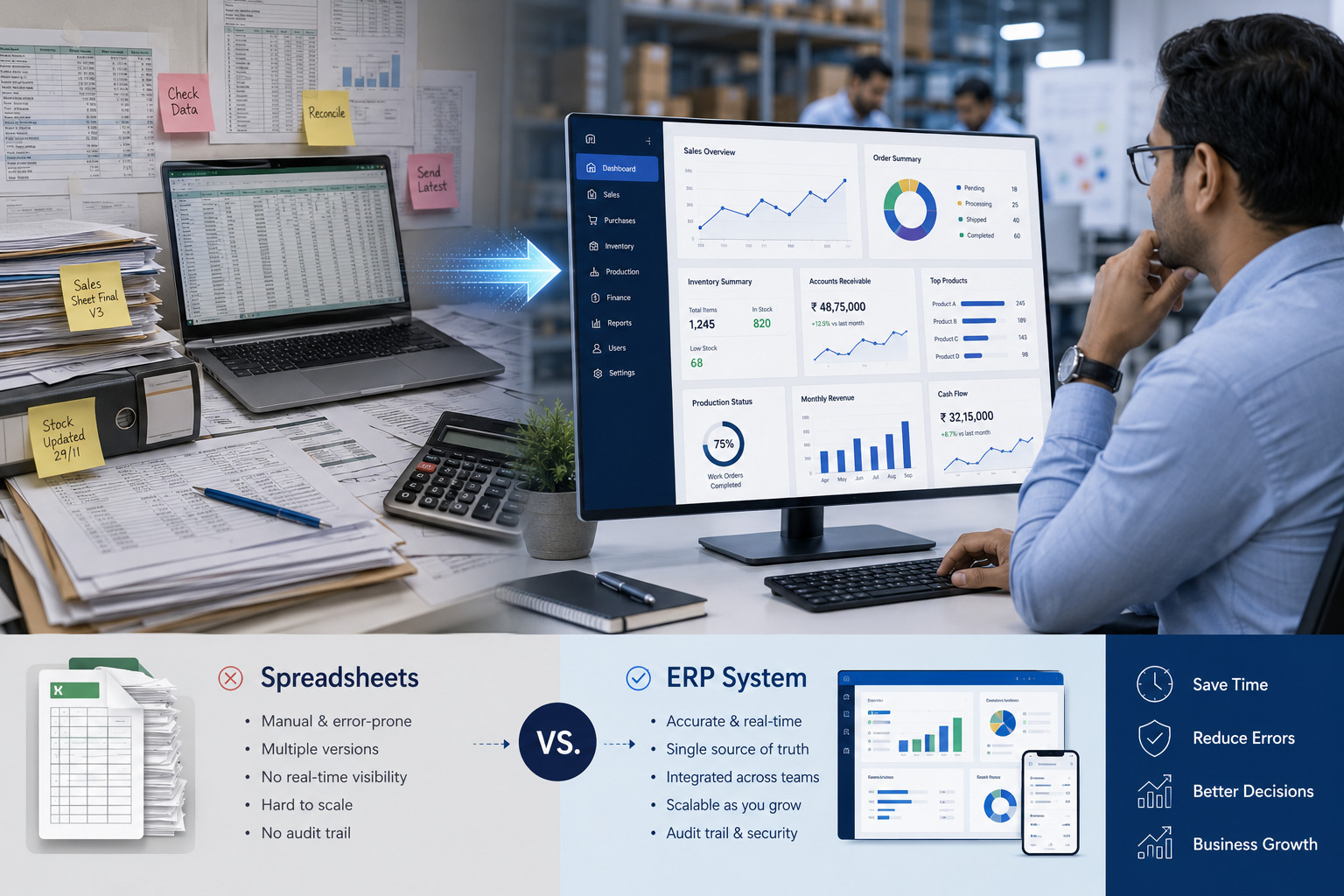
ERP vs. Spreadsheets:
When Does Your Business Need to Switch?
Somewhere in almost every growing Indian SMB, there's a spreadsheet with a name like "Final_Stock_Sheet_V4_ACTUAL_latest.xlsx." It's usually maintained by one overworked person, emailed around in different versions, and quietly trusted less and less by everyone who touches it.
Spreadsheets aren't the villain here they're a genuinely brilliant tool for a certain stage of business. The question most owners struggle with isn't whether spreadsheets are "bad," it's knowing exactly when they've stopped being the right tool for the job, and what switching to an ERP actually involves in terms of cost, effort, and risk.
This article breaks down that decision in practical terms: where spreadsheets genuinely fail at scale, what the real cost comparison looks like, how a migration actually unfolds, and honest answers to the fears that keep so many SMB owners stuck in "we'll deal with it next year" mode.
Spreadsheet Limitations at Scale
Spreadsheets are single-user tools pretending to be multi-user systems. That mismatch is where almost every scaling problem originates. Here's where it shows up most visibly.
Version Control Breaks Down
The moment more than two or three people need to update the same data, spreadsheets start fragmenting into copies. Someone emails an updated version, someone else is still working off yesterday's file, and by the time month-end arrives, nobody can say with full confidence which numbers are accurate. This isn't a training problem it's a structural limitation of file-based tools.
No Real-Time Cross-Functional Visibility
A sales team closing an order has no automatic way of knowing current warehouse stock unless someone manually checks and reports back. A finance team reconciling payments has no live link to what inventory was actually received. Every handoff between departments becomes a manual, delay-prone step and manual steps are where errors and finger-pointing both start.
Formula Fragility
As a spreadsheet grows more rows, more tabs, more nested formulas it becomes fragile. One misplaced cell reference or an accidentally deleted row can silently break calculations across the entire sheet, often without anyone noticing until a customer complains or a number simply doesn't add up at month-end.
No Audit Trail
When a number changes in a spreadsheet, there's typically no record of who changed it, when, or why. For a small team, this might feel like a minor inconvenience. For a business handling GST filings, vendor payments, or multi-location inventory, the absence of an audit trail becomes a real compliance and accountability risk.
Scaling Multiplies the Pain, Not the Value
A spreadsheet that works fine for 50 transactions a month becomes unworkable at 500, and outright dangerous at 5,000. Unlike proper systems, spreadsheets don't get proportionally easier to manage as volume grows the manual overhead grows in lockstep with your business, quietly eating away at the productivity gains that growth should be delivering.
|
The Real Warning Sign It's not the size of your spreadsheet that signals you've outgrown it. How much time your team now spends double-checking, reconciling, and fixing it instead of using it to make decisions. |
Cost Comparison: Spreadsheets vs. ERP
The most common objection to ERP is cost and it's a fair one to raise. But the comparison is rarely apples to apples, because spreadsheets carry real costs that simply don't show up on an invoice.
|
Cost Factor |
Spreadsheets |
ERP System |
|
Software/License Cost |
Low or already owned (Excel/Google Sheets) |
Monthly subscription or one-time build cost |
|
Hidden Labor Cost |
High — hours spent reconciling, re-entering, fixing errors |
Low — automated data flow between functions |
|
Error-Related Losses |
Stockouts, billing mistakes, missed follow-ups add up silently |
Significantly reduced through validation and automation |
|
Scalability Cost |
Increases sharply as transaction volume grows |
Flat or gradually increasing with configuration, not headcount |
|
Onboarding New Staff |
Weeks of informal, undocumented training |
Structured, faster onboarding via standardized workflows |
|
Decision Delay Cost |
Reports take days to compile, delaying action |
Real-time dashboards enable faster decisions |
Most SMB owners underestimate the labor cost buried inside "free" spreadsheets. If two employees spend even five hours a week each reconciling data across sheets, that's roughly 40 hours a month nearly a full extra employee's worth of time, spent on work that adds zero value to customers.
|
40+ hrs Monthly staff time lost to manual reconciliation |
₹0 Visible cost of spreadsheet errors |
High Actual cost once stockouts & mistakes are counted |
A packaging manufacturer in Coimbatore that InfoTechBrains worked with estimated they were losing close to two lakh rupees a quarter in avoidable stockouts and rush-order premiums costs that never appeared on any spreadsheet because nobody was tracking "cost of not having the right system" as a line item. Once framed that way, the ERP subscription cost looked like a rounding error by comparison.
The Migration Process
Migrating from spreadsheets to an ERP is one of the most overthought parts of this decision. Owners often imagine a chaotic, business-disrupting overhaul. In practice, a well-planned migration is a structured, phased process designed specifically to avoid disruption.
Step 1: Data Audit and Cleanup
Before any data moves, it's reviewed for duplicates, inconsistencies, and outdated entries. This is usually the most tedious step, but also the most valuable many businesses discover pricing errors or duplicate vendor records they didn't know existed.
Step 2: Mapping Spreadsheet Columns to ERP Fields
Your existing spreadsheet structure product codes, customer names, pricing tiers gets mapped to the corresponding fields in the new system. This ensures nothing gets lost in translation and that your team recognizes familiar data in the new interface.
Step 3: Parallel Run
For a defined period typically two to four weeks both the spreadsheet and the ERP run side by side. This lets your team validate that the new system produces the same (or better) results before fully switching over, dramatically reducing the risk of surprises.
Step 4: Phased Department Rollout
Rather than switching every department on the same day, migration typically rolls out department by department inventory first, then sales, then accounts so your team isn't overwhelmed and issues can be caught and fixed in a contained way.
Step 5: Training and Documentation
Hands-on training sessions, paired with simple documented workflows, ensure the team isn't just shown the system once and left to figure it out. This step is frequently rushed by vendors and frequently the reason ERP rollouts feel painful when it's skipped.
|
InfoTechBrains Approach We run every ERP migration with a parallel period built in as standard, not optional. Your team never has to "trust" the new system blindly they see it working correctly alongside familiar spreadsheets before the old files are retired. |
Common Fears Addressed
Beyond cost, a handful of recurring fears keep SMB owners delaying the switch. Let's address them directly.
"My Team Isn't Tech-Savvy Enough"
Modern ERP interfaces are built to be far more intuitive than the complex, formula-heavy spreadsheets your team already navigates daily. If your staff can use WhatsApp and Excel, they can be trained on a well-implemented ERP within days, not months.
"We'll Lose Data During the Switch"
This is precisely what the data audit and parallel-run phases are designed to prevent. Data is migrated, verified, and run alongside the old system before anything is switched off nothing is deleted until it's been confirmed accurate in the new environment.
"It'll Disrupt Our Daily Operations"
Phased, department-by-department rollouts exist specifically to prevent this. Your business keeps running exactly as before while each function transitions in a controlled, low-risk sequence there's no single "switch everything overnight" moment.
"We're Too Small for an ERP"
ERP is no longer an enterprise-only category. Modern, right-sized systems scale down to fit teams of ten or fifteen people just as effectively as they scale up the key is choosing (or building) a system sized to your actual operations, not over-engineering from day one.
"What If It Doesn't Work Out?"
A structured pilot on one department, with clearly defined success metrics agreed upfront, gives you a low-risk way to validate the system before committing company-wide. A trustworthy implementation partner will encourage this rather than push for an all-at-once rollout.
The businesses that delay this decision the longest are rarely the ones without a real need they're the ones who've let a manageable fear go unaddressed. Once the cost of staying on spreadsheets is honestly counted, and the migration path is de-risked with a proper plan, the switch becomes a far less daunting decision than it first appears.
|
Not Sure If You're Ready to Switch? InfoTechBrains can assess your current spreadsheet workflows and show you exactly where an ERP would save time and reduce risk before you commit to anything. Call / WhatsApp: +91 84594 18970 Visit: https://infotechbrains.com/ |
About the author

Aman Gupta
Founder & CEO at InfoTechBrains, helping SMEs scale and reduce manual work with AI, automation and custom software.
View LinkedIn ProfileView profile & all posts →